
THE HALLOWEEN REVEAL
How do I make the I’m Sorry I Lied Halloween reveal?
Pick a Halloween costume you actually intended to wear, then let the original photo deliver the punchline.
Watch the costume reveal
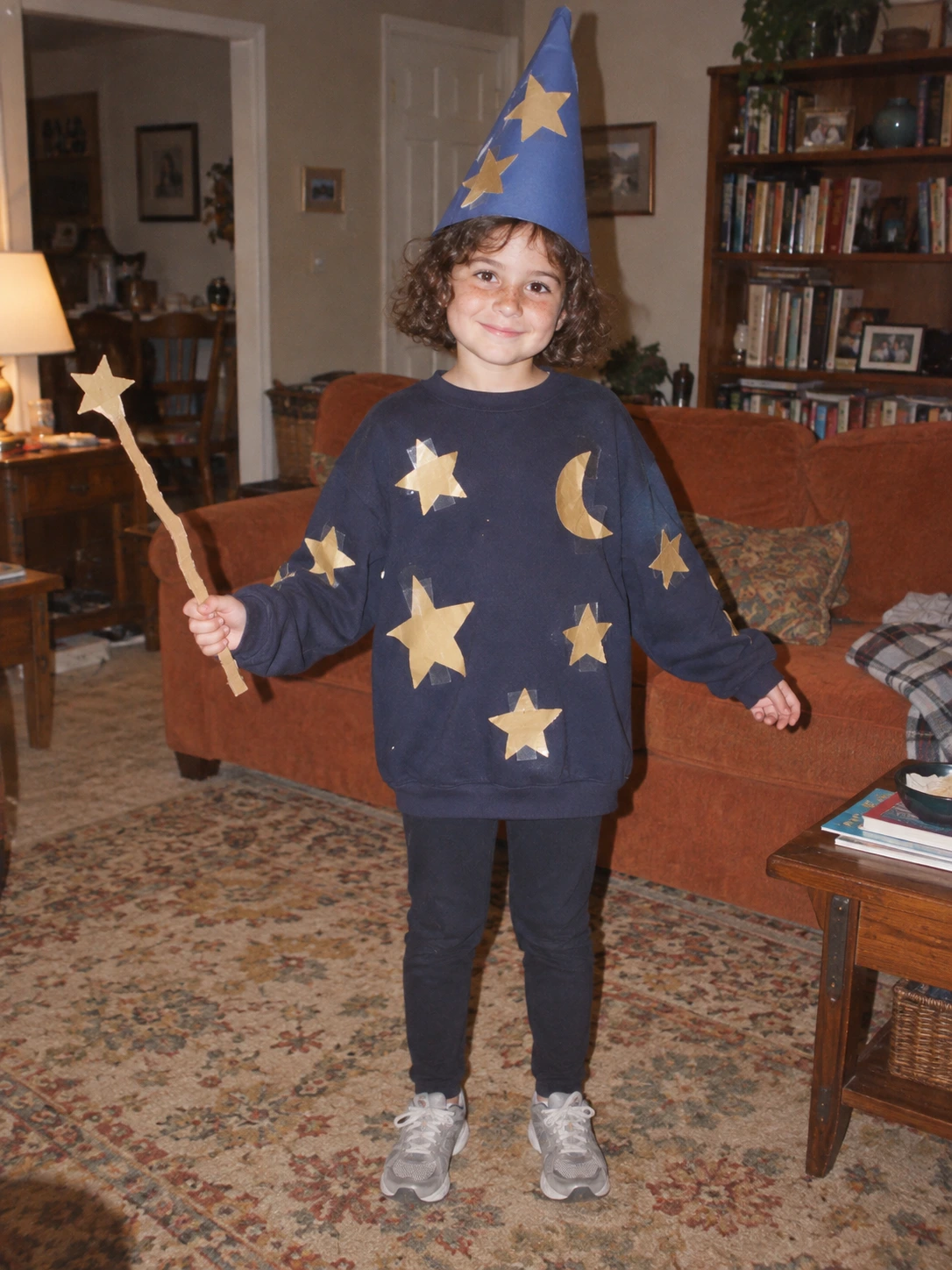
Fictional example. Inspect the complete output before sharing your own creation.
I’m Sorry I Lied halloween: four costume directions
A midnight wizard turns paper stars into embroidered velvet. An emerald witch upgrades a paper hat. A space explorer trades cardboard for a detailed suit. A vampire transforms a bedsheet cape into dramatic tailoring.
I’m Sorry I Lied halloween: keep the story recognizable
Preserve the original pose, age, room and props where possible. More spectacular scenery can weaken the before-and-after joke. Describe materials and costume details instead of replacing the whole scene.
I’m Sorry I Lied halloween: the original remains the ending
Use three beats, not a wall of effects. On a phone, short captions and a full visible outfit make the contrast readable. Watch all 9 seconds before posting, including the last slide.
Your questions, answered
How do I make the I’m Sorry I Lied Halloween reveal?+
Pick a Halloween costume you actually intended to wear, then let the original photo deliver the punchline.
Can I choose a different costume?+
Yes. Describe the costume you intended, including its color and materials. The final slide keeps the original photo for the reveal.
Can an I’m Sorry I Lied Halloween reveal use a homemade outfit?+
Yes. Paper hats, cardboard helmets and bedsheet capes give the costume edit a clear starting point. Keep the source photo unchanged for the last slide.
Does the I’m Sorry I Lied Halloween edit change the background?+
The prompt asks to preserve it. AI can still alter details, so compare the edit with your source before sharing.
Can I change the I’m Sorry I Lied Halloween captions?+
Yes. Your I’m Sorry I Lied Halloween result has three editable captions. Save them, then export again to update the video.